
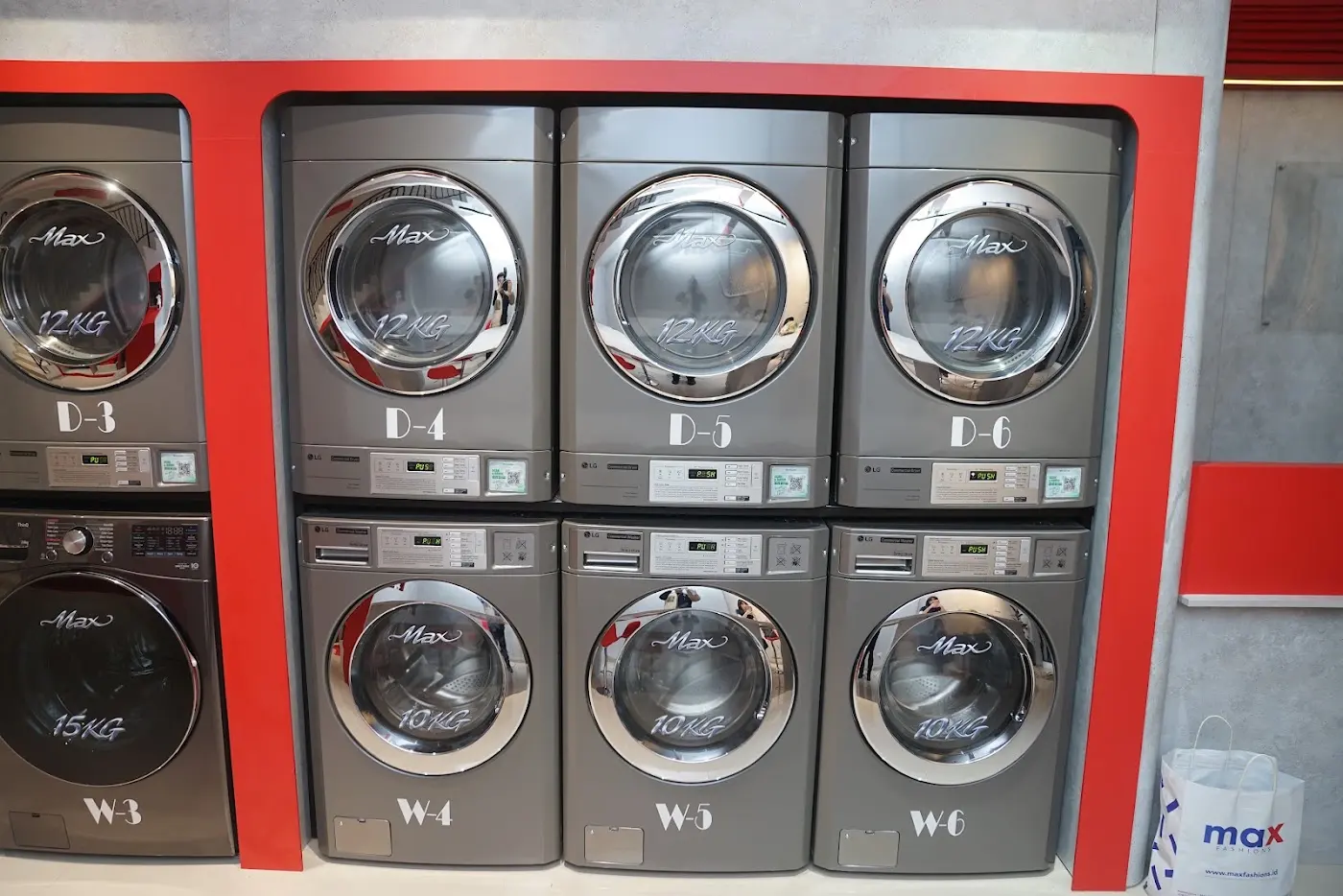
How it works
Standard
operating procedure
Customers don't scan a QR code on a specific machine, because they haven't been assigned one yet. Otherwise, the queue system becomes meaningless.
Reception counter
Scan one main QR code
Scan the main Spin Dizzy Digital QR code at reception to:
- Register as a member
- Get your queue ticket on the TV
- Read the policies inside the store
- Customers scan this single QR code, not a machine QR code.
- The system then assigns the next available machine.
- After the machine is finished, the system assigns the next available dryer.
- Customers only use the machines assigned by Spin Dizzy Digital.
- This prevents customers from choosing machines themselves and keeps utilization efficient.
Self-service using Smart Queue
- 1Step 1
Join the Smart Queue
Scan the Spin Dizzy Digital QR code at reception to register and join the Smart Queue.
- See your position on the TV
- Wait
- Get notified
Spin Dizzy Digital assigns you the first available washer in the correct order.
- 2Step 2
Wait for your machine assignment
When a machine becomes available, your turn will display:
- Assigned machine number (example: W3)
- Queue order on the TV
- Machine type (washer)
- Time remaining to start
Proceed to your assigned machine.
- 3Step 3
Start your washer
Before washing:
- Empty all pockets
- Remove pins and chain clothing
- Close all zippers and fasteners
- Check garment care labels
- Sort the clothes (white, dark, heavy, etc.)
Load your clothes in the assigned washer and start.
- 4Step 4
Relax while you wait
During washer time, enjoy our lounge and facilities:
- Air-conditioned lounge
- Complimentary Wi-Fi
- Free coffee and tea (at designated times)
- Comfortable seating
- Charging stations
Track your laundry status anytime through Spin Dizzy Digital.
- 5Step 5
Washer cycle completed
When your wash cycle finishes, Spin Dizzy Digital immediately notifies you.
The TV shows your next step.
- 6Step 6
Move to dryer queue
After removing your laundry:
- Take it to the Dryer Lobby
- Tap Join Dryer Queue
- The system assigns you the next available dryer
- See your turn and position (dryers work in order)
- 7Step 7
Start your dryer
Load your laundry into the assigned dryer.
Start the drying cycle.
- 8Step 8
Collect your laundry
Spin Dizzy Digital will notify you when drying is complete.
Please collect your laundry within 15 minutes.
Enjoy your clean laundry in the holding and collection area.
Machine guide
8 easy steps on every machine. Maximum results.
Washer
- Pockets
- Zipper
- Velcro
- Strings
- Insert laundryPut your clothes into the machine.
- Insert detergentAdd detergent to the dispenser.
- Power onPress the power button to turn on the machine.
- Choose a programChoose the preset that suits your clothes.
- Adjust settingsAdjust temperature, time or extra options if needed.
- StartPress Start to begin washing.
- WashingThe machine runs automatically for the whole program.
- End of cycleRemove your laundry when the cycle is finished.
Dryer
- Lint filter
- Labels
- Temperature setting
- Clean again
- Insert laundryPut your clothes into the dryer.
- Program & temperatureChoose the program, duration and temperature.
- Dry levelChoose how dry you want your laundry.
- Power onPress the power button to turn on the machine.
- Press StartPress Start to begin drying.
- Dryer workingThe machine runs for the whole program.
- Take out clothesRemove your clothes when drying is finished.
- Clean lint filterClean the lint filter for the next customer.